

DJI Mini 5 Pro in the EU: which accessories break C0 (and what EN 4709-001 changed)
Battery Plus, prop guards, ND filters: which Mini 5 Pro add-ons take it out of C0 in the EU, what the 3% tolerance covers, and what to buy instead.
The Mic 3 records 32-bit float only inside the transmitter. Your camera gets 24-bit at best, and a Pocket 4P saves 16-bit AAC. What to set, and how to sync it.
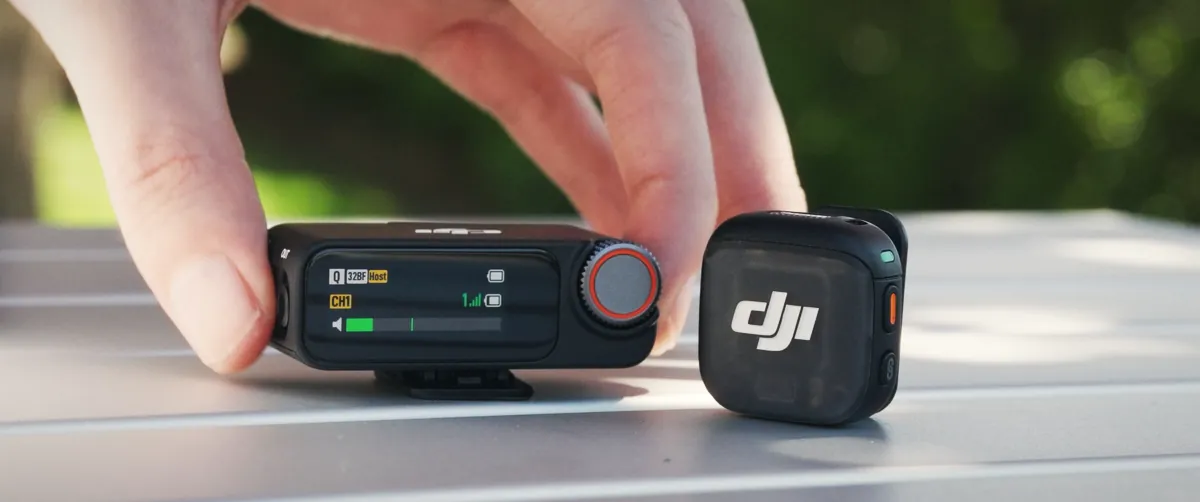
The DJI Mic 3 records 32-bit float only on the transmitter's own 32 GB memory, as WAV files at 48 kHz. The wireless link to the receiver carries 24-bit audio at most, and what lands in your video file depends on the camera: an Osmo Pocket 4P or Osmo Action 6 saves 48 kHz 16-bit AAC, even with the Mic 3 paired directly. Treat the float file as a separate backup that you sync in the edit.
Owners asked DJI the same thing about the Mic 2 on its own forum ("is the camera audio 32-bit too?"), and the Mic 3 spec page still doesn't answer it in one place. The answer is spread across the Mic 3 manual, the support FAQ, the camera spec sheets and an OsmoAudio compatibility list DJI updated on 28 October 2026. We've pulled it together below, with the settings worth changing and the gaps DJI doesn't document.
Follow the signal from the lav to the timeline and the bit depth changes at each hop. The only 32-bit float copy never leaves the transmitter until you download it.
| Stage | Format | Notes |
|---|---|---|
| Transmitter internal recording | WAV, 48 kHz, 32-bit float or 24-bit | 32 GB built in, no card slot; new file every 30 minutes |
| Wireless link to the receiver | 48 kHz 24-bit uncompressed (Lossless Audio on), compressed otherwise | DJI warns lossless mode can shorten the range |
| Receiver 3.5 mm out | Analog | Your camera converts it, at its own bit depth |
| Receiver USB-C, phone adapter | Digital | DJI doesn't publish the bit depth for these outputs |
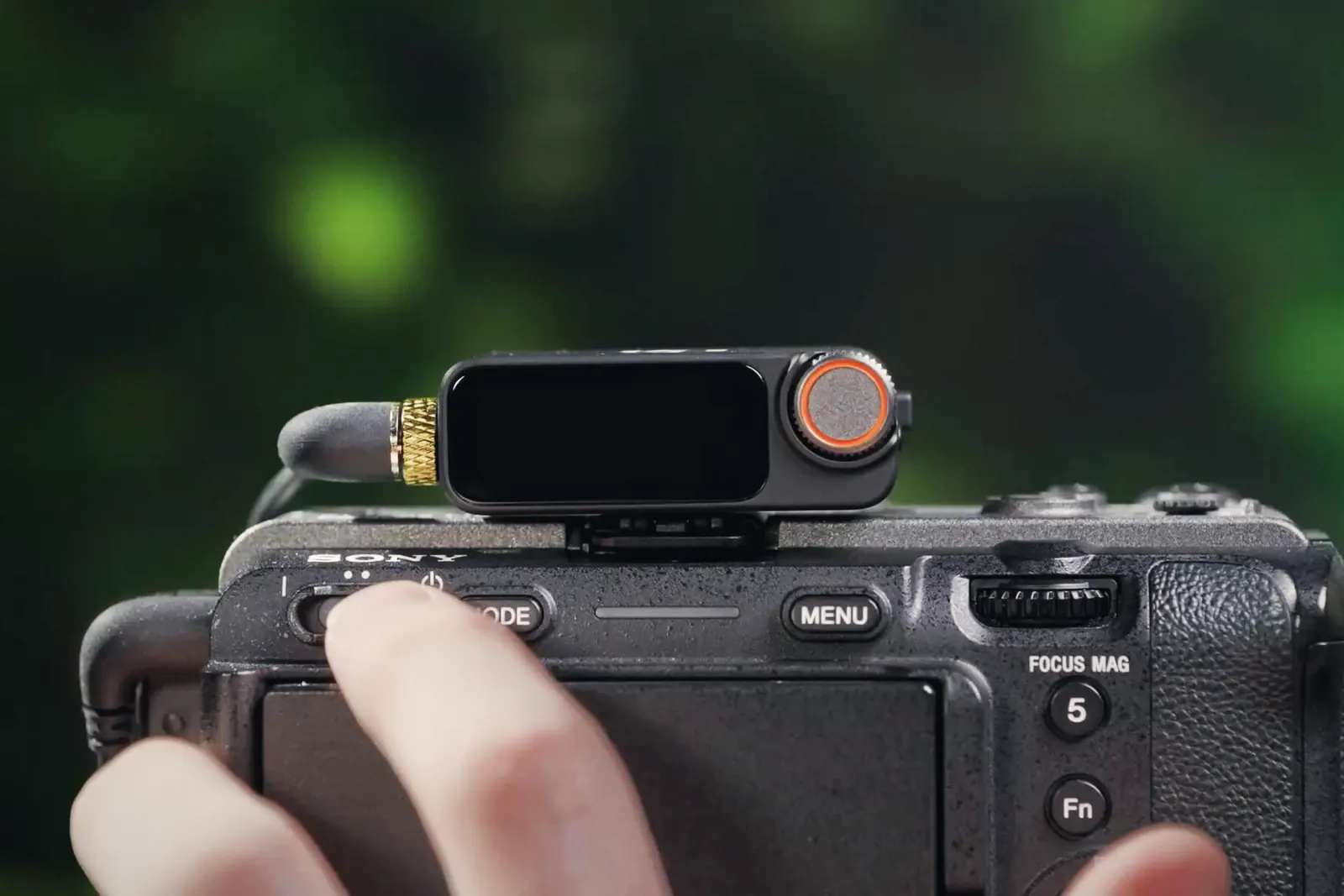
| Camera adapter on a Sony MI shoe | Digital, 48 kHz 24-bit | Needed for four-channel Quadraphonic mode on Sony bodies |
| Osmo Pocket 4P / Action 6 file | 48 kHz 16-bit AAC | From DJI's spec sheets for both cameras |
On those cameras you get a 16-bit file, with about 96 dB of theoretical dynamic range against 144 dB for 24-bit (6 dB per bit), and AAC compression on top. For a talking head that's plenty, provided the level is right. The problem starts when someone shouts and the camera track clips. Then the float WAV on the transmitter is the copy you'll want.
DJI's Pocket 4P FAQ says the Mic 2, Mic 3, Mic Mini and Mic Mini 2 pair with the camera directly from the wireless microphone menu, with no receiver. Up to two transmitters can connect at once. The original DJI Mic (first generation) still needs its receiver plugged in.
| Track | One transmitter | Two transmitters |
|---|---|---|
| Track 1 (left / right) | Same transmitter audio on both channels | TX1 on one channel, TX2 on the other |
| Track 2 (left / right) | Built-in stereo mics, for ambience | Built-in stereo mics, for ambience |
| Format | 48 kHz 16-bit AAC inside the MP4 | |
| 32-bit float copy | Only on each transmitter, if internal recording is on | |
You can also back up the built-in mics as a separate AAC file or as a second track in the MP4. DJI lists the exceptions: slow motion, timelapse, hyperlapse, webcam mode and DisplayPort output. Gain on the Pocket 4P is adjustable only with a DJI Mic or a third-party recorder connected; the built-in mics follow the zoom level on their own.
If you shoot D-Log 2 on the Pocket 4P and grade it, the audio deserves the same care. Our Pocket 4P ND and ISO 1600 guide covers the picture side of that setup.
Yes, on the cameras in DJI's list. The OsmoAudio compatibility list, dated 28 October 2026, marks "Record While Filming" and "32-Bit Float Recording" as supported on all eight Osmo cameras. "Record While Filming" means the transmitter starts its internal recording when the camera starts rolling. The differences show up elsewhere:
| Feature | Pocket 4P, Pocket 4, Action 6, Osmo 360, Osmo Nano | Pocket 3, Action 5 Pro | Action 4 |
|---|---|---|---|
| Max transmitters | 2 | 2 | 1 |
| Record While Filming | Yes | Yes | Yes |
| 32-bit float internal recording | Yes | Yes | Yes |
| Clipping Control | No | Yes | Yes |
| Adaptive Gain Control | Yes | No | No |
| Channel assignment (TX1/TX2) | Yes | Yes | No |
| REC stop, noise cancelling via button | Yes | No | No |
| File option, loop recording, auto record at start-up | No app needed | Needs the Mimo app | Needs the Mimo app |
The newer cameras swap Clipping Control for Adaptive Gain Control. On a Pocket 4P that leaves the 16-bit camera track with two kinds of protection: sensible manual gain or Adaptive Gain in Automatic mode, which DJI describes as smoothing out sudden peaks. Adaptive Gain moves the level while you talk, so we'd leave it off for an interview you plan to mix by hand.
On the transmitter WAV, yes, within limits. A float file can't clip digitally, so you can pull a scream back down in post. The capsule still has a ceiling: DJI rates the Mic 3 at 126 dB SPL for 1% distortion and 130 dB SPL for 10%. Float won't fix a lav buried under a jacket either.
For the camera track, gain works the way it always has. The 16-bit AAC in a Pocket 4P file, or the analog feed into a mirrorless camera, will clip if you set it hot. DJI publishes recommended camera gain settings for the Mic 3 on its downloads page; on a mirrorless body we'd start there, then check that peaks sit well under 0 dBFS on the camera's meter.
| Setting | Pocket 4P, direct | Mirrorless, receiver over 3.5 mm |
|---|---|---|
| Transmitter internal recording | On, 32-bit float | On, 32-bit float |
| File option | Dual file if you use noise cancelling | Dual file if you use noise cancelling |
| Lossless Audio | Not applicable | On, unless you need the extra range |
| Gain | Manual, peaks well below the top of the meter | DJI's camera gain chart, then the camera meter |
| Adaptive Gain | Automatic for run-and-gun, off for interviews | Off |
| Loop recording | On for long event days | On for long event days |
| Low cut | On outdoors (100 Hz) | On outdoors (100 Hz) |
Dual-file mode writes two WAVs per take. The file ending in "orig" is the raw capsule signal. The one ending in "edit" has DJI's processing baked in, noise cancellation included. Noise cancelling never touches the orig file, so you can try DJI's clean-up on set and still fall back to the untouched version.
| Mode | Single file | Dual file |
|---|---|---|
| 24-bit | 57.3 h | 28.6 h |
| 32-bit float | 43.0 h | 21.5 h |
The transmitter battery is rated at 8 hours, measured with internal recording off, so the memory will outlast a charge many times over. With loop recording on, the transmitter overwrites the oldest files once the 32 GB is full. Download after each job if you don't want to lose anything.
DJI gives you two ways out: the magnetic charging cable to a computer, or the file download page in the DJI Mimo app. Then you sync. With a Pocket 4P the camera track is your reference, so DaVinci Resolve's Auto Sync Audio set to waveform works without timecode. On a mirrorless setup the Mic 3 receiver can also send timecode, as LTC over 3.5 mm or USB-C, or as audio timecode on the left channel. The audio timecode option puts a steady hum on that channel, so use it only if your camera has no timecode input and you don't need that channel for sound.
Once synced, normalise the float clip or pull its level down before you mix. If you work in Resolve with other camera formats, our Nikon ZR R3D NE workflow and iPhone 18 Pro ProRes RAW guide cover the picture side.
Owners say yes. DJI hasn't confirmed it. DroneXL reported on 4 September 2026 that Japanese Pocket 4P users had the FrameTap remote and a Mic 3 or Mic Mini 2S transmitter connected together, which the launch firmware didn't allow. Newsshooter's firmware roundup lists the same behaviour on camera firmware 01.01.71.20 and 01.01.71.31, and notes that DJI's changelogs don't mention it. FrameTap and the Mimo app still can't connect at the same time. Update both the camera and the transmitter, then test before a paid shoot.
| You shoot | Float on? | Reason |
|---|---|---|
| Weddings, events, live speeches | Yes | One unrepeatable take, sudden loud moments |
| Vlogs and street interviews on a Pocket 4P | Yes | Camera track is 16-bit AAC with no Clipping Control |
| Controlled sit-down interviews | Optional | A well set camera track is enough; float costs storage only |
| Social clips you post from the camera file | Optional | You won't open the WAV unless something goes wrong |
| Long days without a laptop | Yes, with loop recording | 21.5 h dual file covers several days of talking |
| Kit | EU (DJI Store Germany, 31 Oct 2026) | UK (launch) | US (launch) |
|---|---|---|---|
| 2 TX + 1 RX + charging case | €269 | £259 | $329 |
| 1 TX + 1 RX | €179 | £169 | $219 |
| Transmitter only | €89 | Not confirmed | $99 |
| 4 TX + 1 RX + charging case | €447 | Not confirmed | Not confirmed |
| 2 TX + 1 RX + case + camera adapter | €298 | Not confirmed | Not confirmed |
DJI launched the main kit at €309 in August 2025, so the EU store price has dropped by €40. We couldn't check current UK and US prices directly; DJI first said the Mic 3 wouldn't reach the US, then put it on sale through its own store and Amazon, and B&H listed it too. Check stock before you plan around it. If you only need a direct link to an Osmo camera, a single €89 transmitter is the cheapest way to get the float backup. Remember the first-generation Mic can't pair without its receiver. For what DJI's US situation means for future products, see our Osmo Action 7 rumours article.
No. DJI's FAQ says the transmitter sends uncompressed 48 kHz 24-bit audio to the receiver with Lossless Audio on. The 32-bit float file stays in the transmitter's internal memory until you download it.
48 kHz 16-bit AAC, according to DJI's spec sheet. That applies to the built-in mics and to a connected DJI Mic.
Yes. DJI's OsmoAudio compatibility list of 28 October 2026 shows 32-bit float internal recording and "Record While Filming" on the Pocket 4P, Pocket 4, Pocket 3, Action 6, Action 5 Pro, Action 4, Osmo 360 and Osmo Nano.
Not the original. In dual-file mode the transmitter saves an "orig" file without processing and an "edit" file with noise cancellation and the other algorithms applied.
No. DJI says the first-generation DJI Mic needs its receiver attached to work with the Pocket 4P. The Mic 2, Mic 3, Mic Mini and Mic Mini 2 pair directly.
Battery Plus, prop guards, ND filters: which Mini 5 Pro add-ons take it out of C0 in the EU, what the 3% tolerance covers, and what to buy instead.
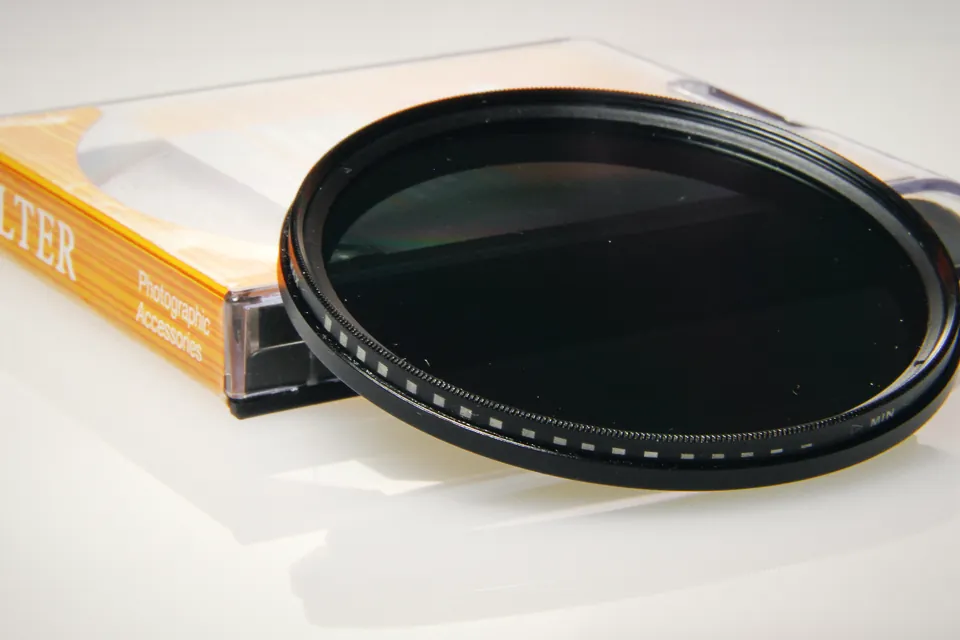
Nine variable ND filters in three price tiers, with stop ranges, hard stops and euro prices. Why one 82mm VND with step-down rings beats three smaller filters.
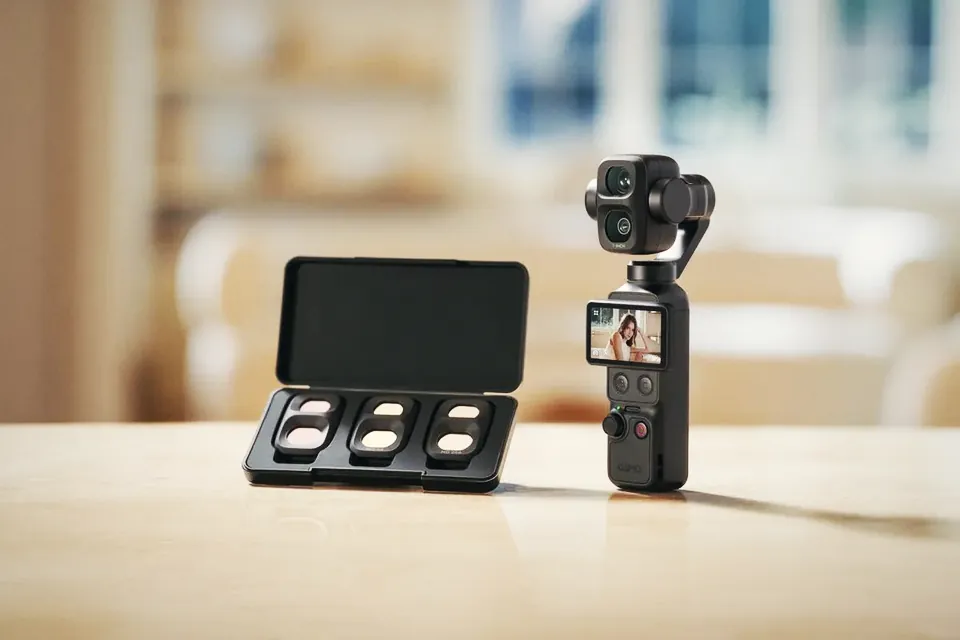
At native ISO 1600 in D-Log 2, the Osmo Pocket 4P needs about 11 stops of ND in full sun. Most Pocket ND kits stop at 6 to 8. The maths, and what to buy.
 Cameras & dronesNew bodies, drones, firmware updates and what they change on set.
 AccessoriesLenses, gimbals, monitors, audio, lights and the gear around the camera.
 LeaksRumours and leaked specs before launch, with what is confirmed and what is not.
 SoftwareEditing, grading and VFX tools, and the updates worth installing.
 OtherIndustry news, techniques and everything that does not fit a box.