
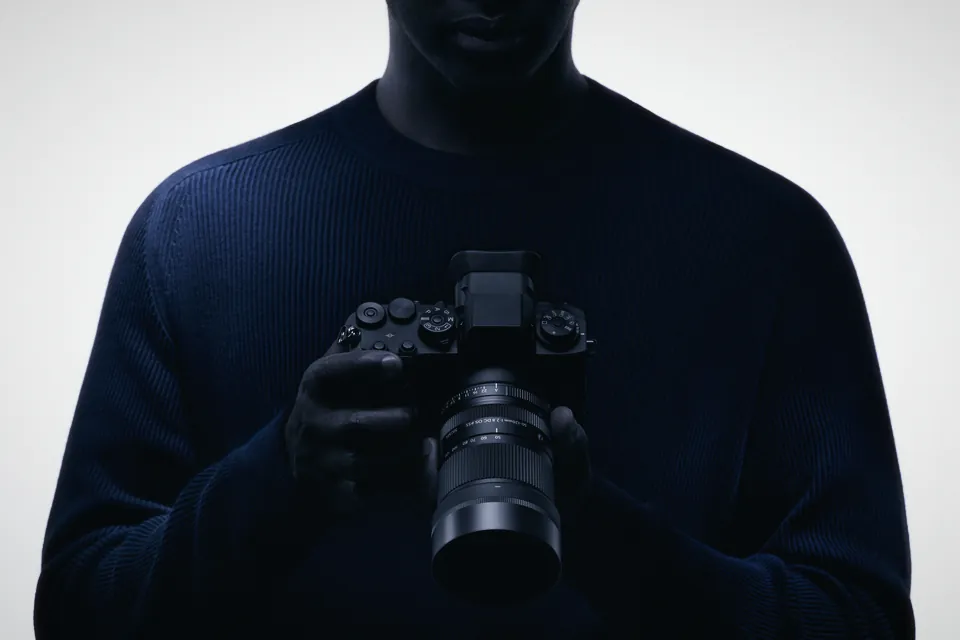
Sigma 50-120mm f/2.8 for video: what to check on FX30, A6700 and Canon RF
Sigma's 390 g APS-C tele zoom costs €799. For video: the barrel extends, Sony's breathing fix won't work, filters are 55 mm, and the RF version differs.
R6 Mark III and C50 RAW clips showed magenta bars in Premiere until 26.3. The versions of Premiere, Resolve and Final Cut you need, and what to check first.
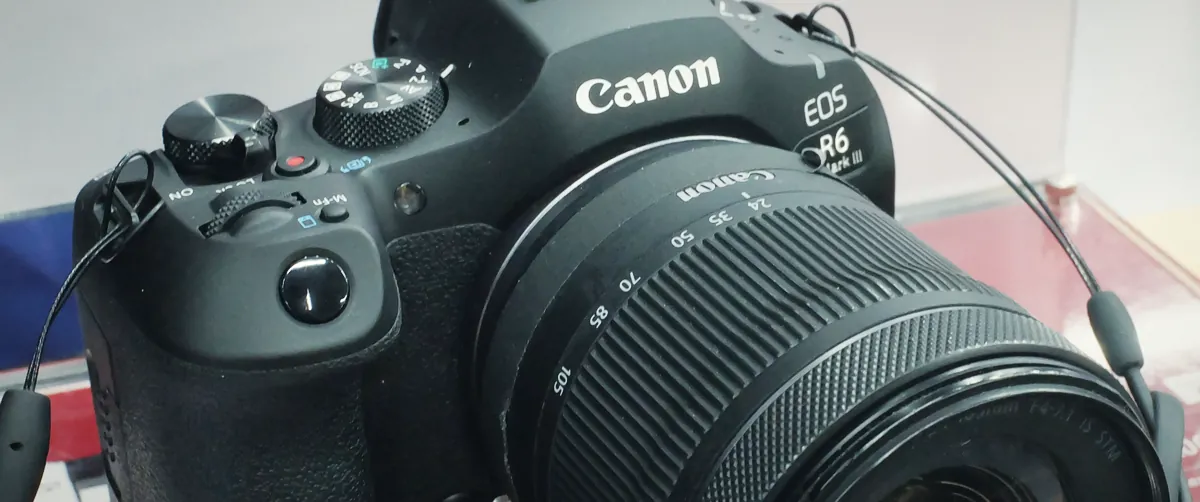
Canon Cinema RAW Light clips from the EOS R6 Mark III, R6 V and C50 open in all three big editors as of November 2026, provided you're on the right version. Premiere needs 26.3 or later (June 2026): earlier builds showed magenta, black or white bars across the bottom of the frame. Final Cut needs Canon's free RAW Plugin, 2.8.10 or newer for the R6 Mark III and C50 and 2.9.10 or newer for the R6 V. Blackmagic's codec list shows Resolve decoding .CRM on Mac, Windows and Linux, with no Studio-only note.
Most of the forum threads you'll find when you search this problem were written before Adobe's fix, and many still end with "transcode in Resolve" or "roll back Premiere". We went through Adobe's announcement, Canon's plug-in changelogs and Blackmagic's codec list to check what applies today.
Same file type, slightly different menus. The C50 names its three quality levels (HQ, ST, LT) on Canon's spec page. The R6 Mark III and R6 V pages talk about "RAW" and "RAW (Light)" instead, so the HQ/ST/LT labels you see in forum posts mostly come from C50 and C400 owners.
| Camera | Open gate RAW (3:2) | Fastest 7K RAW | Card for RAW | Proxy |
|---|---|---|---|---|
| EOS C50 | 6960 x 4640, up to 29.97p, ST or LT | 6960 x 3672 (17:9), 59.94p in ST or LT; HQ up to 29.97p | CFexpress Type B | To SD while recording RAW |
| EOS R6 Mark III | 7K, up to 30p | 7K 60p RAW (Light), 17:9 area of the sensor | CFexpress Type B, VPG400 | 2K DCI proxy, shared file names and timecode |
| EOS R6 V | 6960 x 4640, 30p, 12-bit | 7K 60p RAW, 17:9 | CFexpress Type B, RAW won't record to SD | Proxy or sub movie to SD |
The R6 V also sends ProRes RAW over HDMI to an external recorder. That's a different file with a different plug-in (Canon Plugin for ProRes RAW, 1.2.10 lists the R6 V), so if you go that route, the .CRM notes below don't apply.
Premiere didn't support these cameras' version of Cinema RAW Light when they shipped, and it decoded the files wrong instead of refusing them. The main bug report on Adobe's forum opened on 9 December 2025 and grew to 39 replies. What people described, by date:
| Date | What happened |
|---|---|
| 9 Dec 2025 | C50 owner on an M4 Pro MacBook Pro, Premiere 25.6.3: black or magenta bars on the bottom of paused frames. Resolve plays the same files without problems |
| Dec 2025 | Other users: a white bar over the bottom 20% of 6960 x 3672 RAW ST clips on Windows with a GeForce 3080, bars in exports, timeline vanishing during playback |
| 14 Jan 2026 | Adobe: no changes in beta yet for C50 or R6 Mark III Cinema RAW Light, no release date |
| 19 Feb 2026 | Feature request: R6 Mark III 7K open gate .CRM clips show black and won't play in Premiere |
| 22 May 2026 | Adobe announces beta support for C50, R6 Mark III, R6 V and C400 (with its 3:2 open gate firmware), up to 7K open gate |
| 17 Jun 2026 | Adobe: the support shipped in Premiere 26.3 |
| 18 Jun 2026 | Asked whether ST and HQ are covered, Adobe's community manager answers "Yes" |
One piece of advice from that thread still gets copied around: a user wrote that Adobe support told them to go back to Premiere 24.6.8. That was a stopgap from January. With 26.3 out, updating makes more sense than rolling back, and Premiere is on 26.5 now.
After the update you get RAW controls in Effect Controls, under Source: colour temperature, tint, exposure, colour space and gamma. Nobody in the announcement thread has reported the bars coming back since the release, but the thread is quiet, which isn't the same as a confirmed fix on every machine. Before a paid job, drop one clip of each mode you shoot into a test sequence and scrub through paused frames, since that's where the bars showed up first.
Final Cut won't read .CRM by itself. Canon's RAW Plugin for Final Cut Pro adds it, and the changelog tells you which version knows which camera:
| Version | What it added |
|---|---|
| 2.7.0 | EOS R1, R5 Mark II, C80, C400 |
| 2.8.10 | EOS R6 Mark III and C50 |
| 2.9.10 | EOS R6 V, MacBook Pro with M5 |
| 3.0.0 | RAW processing settings you can adjust (macOS 15 or later); C400 and C80 need firmware 1.0.6.1 or later |
| 3.0.10 | Fix for wrong RAW development on R5 C clips (page updated 31 August 2026) |
Requirements: Final Cut 10.4.9 or later and a Metal GPU with at least 1 GB of VRAM. Canon's page says the plug-in reads RAW (.CRM) clips only, so your MP4 proxies and XF-HEVC S files go through Final Cut's normal import. Canon Japan also lists a 3.0.11 without a date or changelog we could find in English. If your Mac sits on an older plug-in from an R5 or C70, that's the most likely reason an R6 Mark III card shows up as unreadable.
No plug-in. Blackmagic's "Supported Formats and Codecs" PDF for Resolve 21 (September 2026) lists Canon RAW .crm under decode on macOS, Windows and Linux, and it carries none of the "Studio only" notes the same list puts on other formats. Blackmagic doesn't list RAW support camera by camera, so you won't find "R6 Mark III" in its release notes. The best evidence that these specific files work comes from Premiere users in that Adobe thread, who said Resolve played the same clips cleanly while Premiere broke.
It's also why "transcode in Resolve, edit in Premiere" became the standard workaround last winter. If you're still doing that on Premiere 26.3 or later, you can probably stop and save the drive space.
Canon's own Cinema RAW Development (2.15.10, July 2026, macOS 13 to 26 and Windows 11) is the other free option. It added the R6 Mark III and C50 in 2.13.10 and the R6 V in 2.14.0. It's a developer and converter rather than an editor, and C50 owners need camera firmware 1.0.5.1 or later for 2.15.10.
| Your situation | Use | Check first |
|---|---|---|
| You cut in Premiere already | Premiere 26.3 or later | Scrub paused frames on a test clip of each RAW mode |
| You cut in Final Cut | Final Cut with Canon RAW Plugin 3.0.x | Plug-in at least 2.8.10 (R6 Mark III, C50) or 2.9.10 (R6 V) |
| You grade your own footage | Resolve | Nothing to install; free version lists .crm decode |
| You edit on Linux | Resolve | The only one of the three on Linux |
| You need DPX or other deliverables straight from RAW | Cinema RAW Development | C50 firmware 1.0.5.1 or later |
| R6 V into an external recorder | Any editor with ProRes RAW support | Canon Plugin for ProRes RAW 1.2.10 or later |
| Route | Pros | Cons |
|---|---|---|
| Premiere 26.3+ | Native, RAW controls in Effect Controls, same app for edit and finish | Six months of broken decoding before the fix; few post-fix reports either way |
| Final Cut + Canon plug-in | Free plug-in, adjustable RAW settings since 3.0.0 on macOS 15+ | Depends on Canon updating the plug-in for each new camera |
| Resolve | No plug-in, runs on Linux too, clean playback in user reports since December 2025 | Blackmagic doesn't confirm support per camera model |
| Cinema RAW Development | Canon's own decoder, made for these files | Not an editor, so you still export files and cut them somewhere else |
Our view: if you edit in Premiere, update and test before you change software. Learning a new editor in the middle of a job costs more than one test sequence. Moving to Resolve is a good idea for other reasons, and it's the editor with the cleanest record on these files, but Premiere 26.3 removes the need to switch just for Canon RAW. Two related reads: our Nikon ZR R3D NE workflow guide, which covers the same question for Nikon's RAW, and our Canon R8 Mark II C-Log 3 settings for Canon's smaller body.
Premiere versions before 26.3 decoded C50 and R6 Mark III Cinema RAW Light incorrectly, which caused magenta, black or white bars on the lower part of the frame. Adobe shipped support for these cameras in Premiere 26.3 in June 2026. Update Premiere and re-import the clips.
Yes, with Canon RAW Plugin for Final Cut Pro version 2.8.10 or later. The R6 V needs 2.9.10 or later. The plug-in requires Final Cut Pro 10.4.9 or later and only handles RAW (.CRM) clips.
Blackmagic's codec list for Resolve 21 shows Canon RAW .crm decode on macOS, Windows and Linux without a Studio-only note. Blackmagic doesn't name individual camera models, so test a clip from your camera.
No. Canon lists CFexpress Type B for RAW on both cameras. The SD slot records proxies or sub movies alongside the RAW file.
Sigma's 390 g APS-C tele zoom costs €799. For video: the barrel extends, Sony's breathing fix won't work, filters are 55 mm, and the RF version differs.

Vimeo restricts videos on accounts over their storage limit. Which Free and Basic accounts get hit, what counts, and how to get your old films playing again.
Sony's Monitor & Control 3.1 now runs on the A6700 and ZV-E10 II. What these two cameras get, what they miss, and which tools stay free without a paid plan.
 Cameras & dronesNew bodies, drones, firmware updates and what they change on set.
 AccessoriesLenses, gimbals, monitors, audio, lights and the gear around the camera.
 LeaksRumours and leaked specs before launch, with what is confirmed and what is not.
 SoftwareEditing, grading and VFX tools, and the updates worth installing.
 OtherIndustry news, techniques and everything that does not fit a box.